Igor - Character modeling
Character modeling made out of photo references. I wanted to create some kind of a psycho, a character that makes you feel uncomfortable just looking at you. None of the attached pictures is a final render, I'm working on rendering using Arnold.
I uploaded various steps in Maya as well as in Mudbox, enjoy :)
Modeling and UV unwrap was done in Maya 2017
Sculpting and textures were done using MudBox 2017
Render ....

- Mudbox AO & Cavity map

- Mudbox Specular map

- Mudbox Bump map

- Mudbox Diffuse map

- Mudbox Sculpt Lvl 08
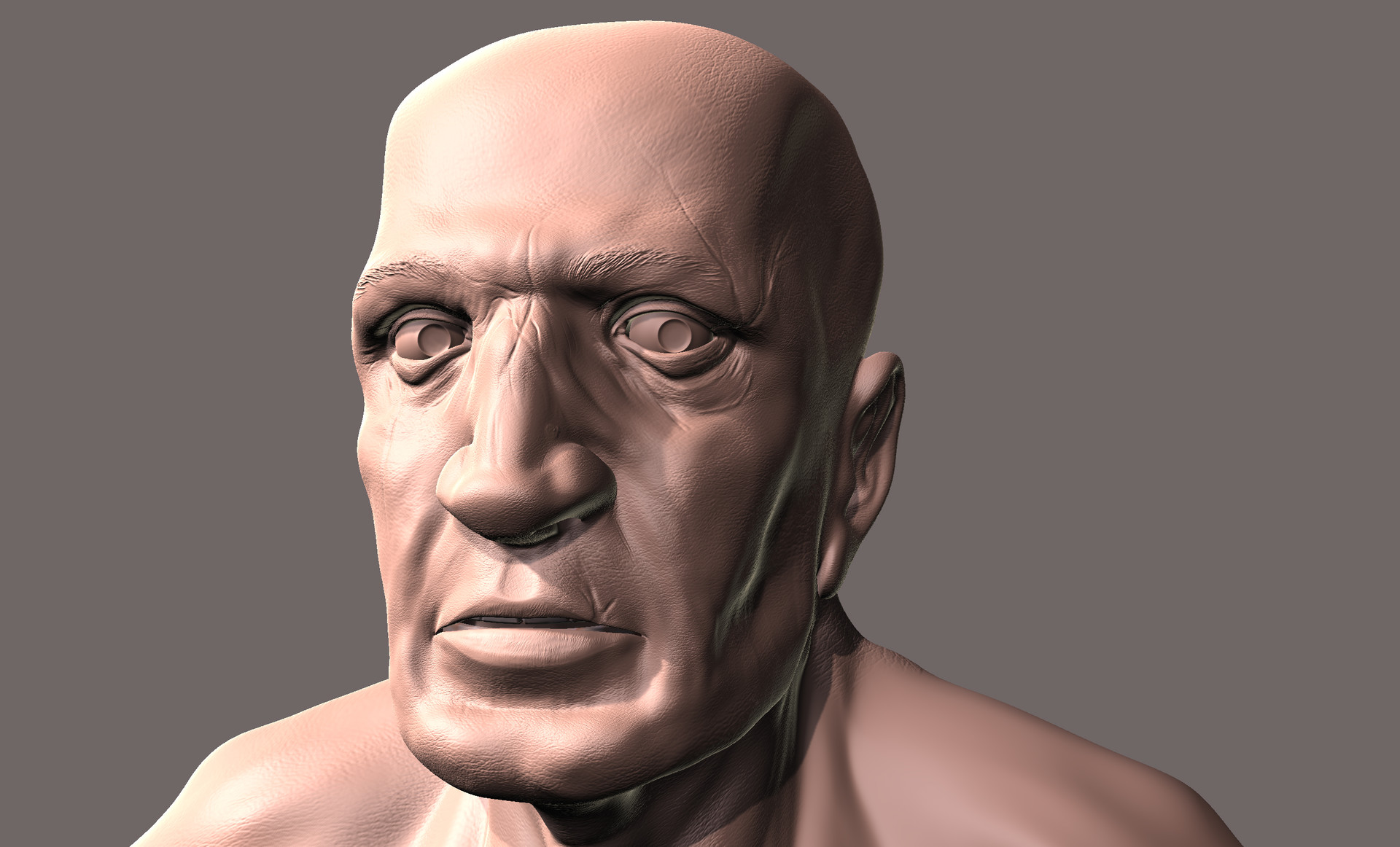
- Mudbox Sculpt Lvl 07

- Mudbox Sculpt Lvl 06

- Mudbox Sculpt Lvl 05

- Mudbox Sculpt Lvl 04

- Mudbox Sculpt Lvl 03

- Mudbox Sculpt Lvl 02

- Obj imported to Mudbox
- Mudbox Sculpt Lvl 01

- Obj exported from Maya to Mudbox

- Mudbox diffuse map

- Mudbox specular map

- Mudbox bump map

- UV Unwrap

- UV unwrap with checker map

- Final Maya version at a low resolution with smoothing groups

- Final Maya version at a low resolution without smoothing groups

- Tweak the head overall shape using soft selection (forehead, back, ...)
- Start extruding towards the shoulders and tweak the neck shape

- Modeling the ear
- Tweak the head overall shape using soft selection (forehead, back, ...)
- Start extruding towards the shoulders and tweak the neck shape

- Modeling the ear
- Tweak the head overall shape using soft selection (forehead, back, ...)

- Tweak the head overall shape using soft selection (forehead, back, ...)

- Tweak the head overall shape using soft selection (forehead, back, ...)

- Close the back of the head
- Close the neck

- Create the cavity for the ears

- Close the face and model the cheeks
- Start slowly extruding the neck

- Extruding the mesh from the chin towrds the jaw

- Modeling a new piece of geometry that will connect the nose to the chin

- Modeling the eye socket first to be able to complete the eyes mask.
- Modeling the tip of the nose and extrude the nose polygons from the eyes mask
- Modeing the shape that will later be used to connect the mouth to the nose.